
DocsTutorials / Peedika Store
Desktop Tutorial
Agent Library
Discover, install, and manage free agents from the integrated library.
1
Accessing the Library
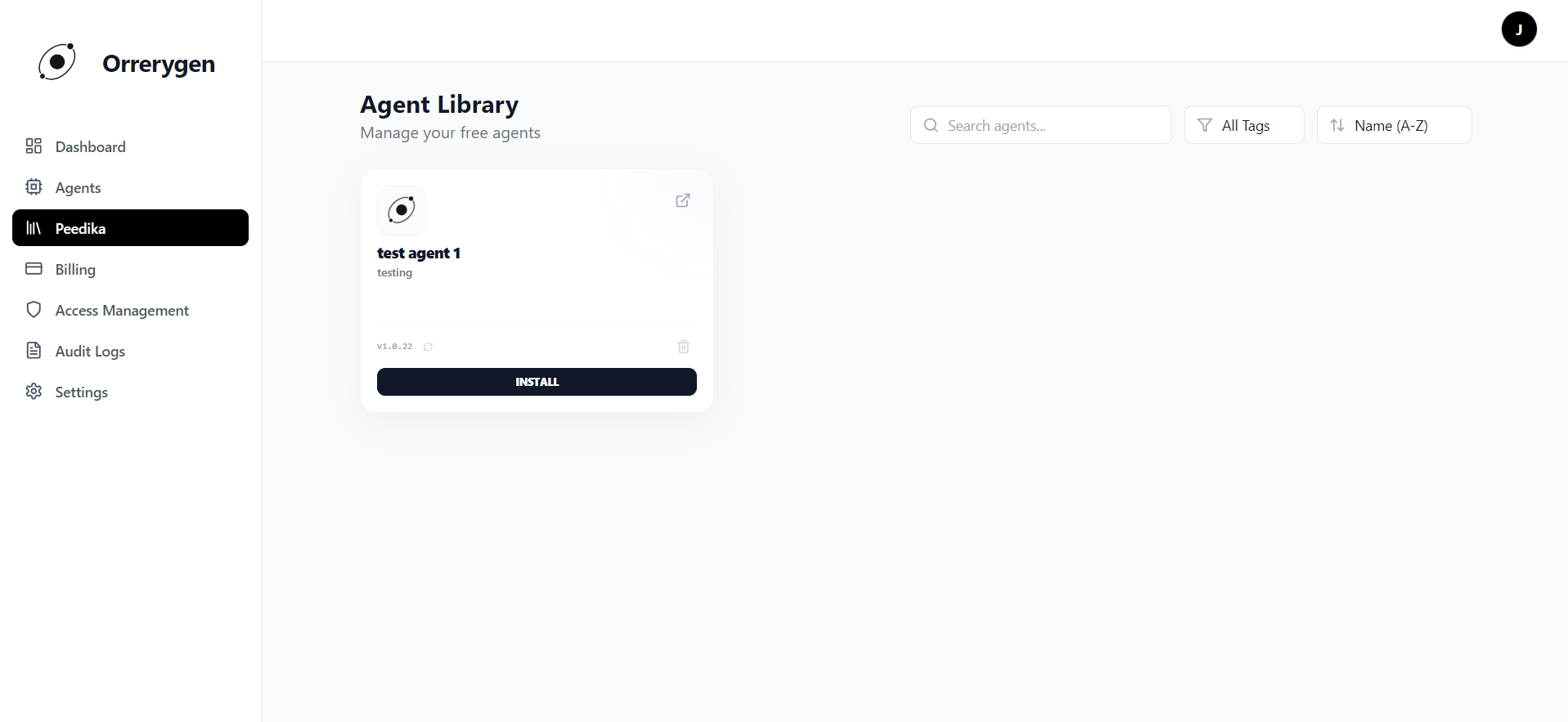
Click on Peedika in the sidebar. This opens the Agent Library, showing all free agents available for your account.
2
Searching and Filtering
Use the toolbar to find specific agents:
- Search by name or keywords
- Filter by category tags
- Sort by name, date, or popularity
3
Agent Card Features
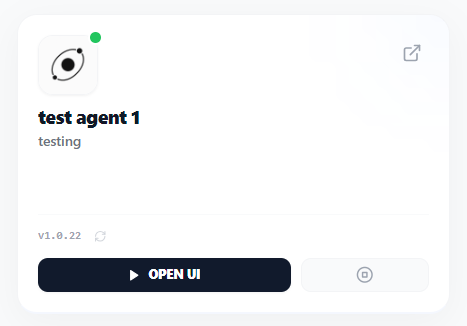
Each agent card displays:
- Avatar & Name with documentation link ()
- Description of the agent's capabilities
- Version number and update indicator
- Status dot (green = running)
4
Agent Actions
Available actions on agent cards:
- INSTALL Download and start a new agent
- RUN Start a stopped agent
- OPEN UI Open the running agent's interface
- Stop a running agent
- Check for updates
- UPDATE Apply available update
- Remove agent (when stopped)
Stopping an agent does NOT delete its data. Removing an agent is irreversible.
Pro Tip
For premium agents, use Quick Launch on the Dashboard with an Agent Launch Key.