
My Agents
Manage your running agent instances, view usage history, and rate agents.
Accessing My Agents
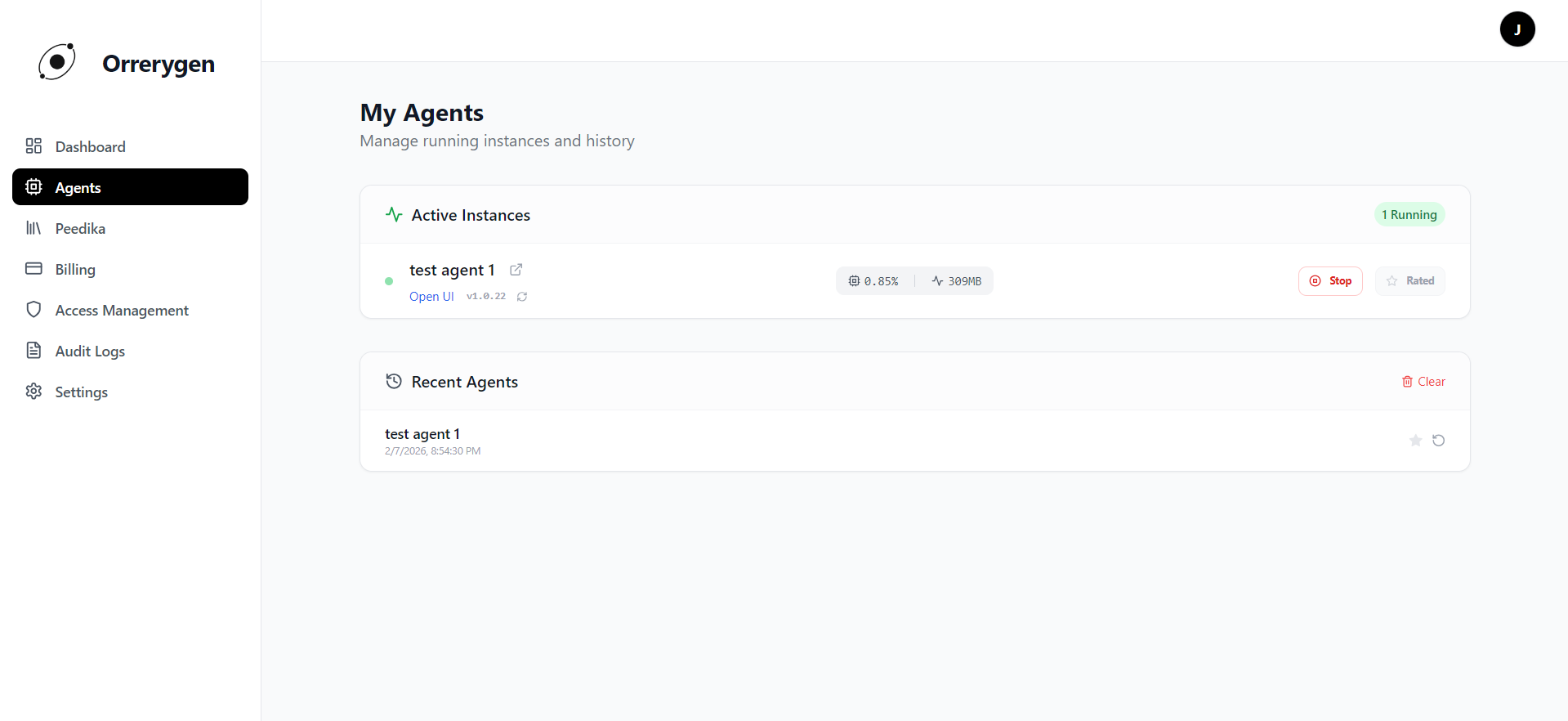
Click on My Agents in the sidebar to view all your running agent instances. This page shows:
- Active Instances: Agents currently running on your machine with real-time metrics.
- Recent Agents: History of agents you've previously run.
Active Instances
Each running agent displays:
- Status Indicator: A green pulsing dot indicates the agent is running.
- Agent Name: The display name with a link to documentation.
- Version: Current version number (e.g., v1.0.0).
- Resource Metrics: Real-time CPU and Memory usage.
CPU Usage
Shows the agent's current CPU consumption percentage.
Memory Usage
Displays RAM consumption in megabytes (MB).

Agent Actions
For each running agent, you can perform the following actions:
- Open UI - Opens the agent's web interface in your browser.
- Check Update - Checks if a newer version is available.
- Update - Downloads and applies the latest version (if available).
- Stop - Gracefully stops the running agent.
- Rate - Rate the agent (available for agents you own).
Note: Stopping an agent does NOT delete its data. You can restart it anytime from the Library or Recent Agents list.
Recent Agents (History)
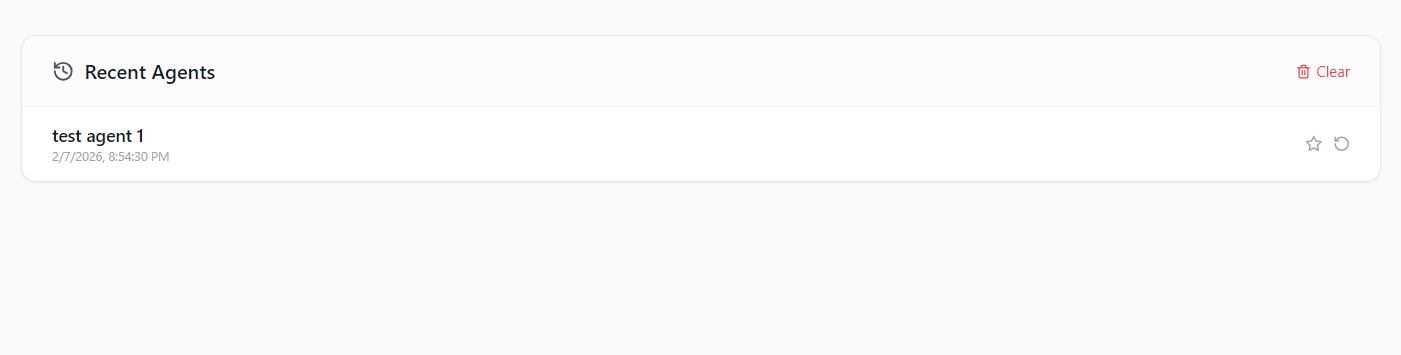
Below the active instances, you'll find the Recent Agents section showing agents you've previously run:
- Agent Name: The name of the agent you previously ran.
- Last Run: Timestamp of when you last used the agent.
- Restart - Quickly restart an agent from history.
- Rate - Rate agents you've used.
You can also Clear your history using the clear button at the top right of this section.
Rating Agents
Help the community by rating agents you've used:
- Click the Rate button on an agent card.
- A rating modal will appear where you can give 1-5 stars.
- Add an optional comment to share your experience.
- Submit your rating to help others discover quality agents.
Tip: You can only rate agents you own (i.e., agents you started yourself). The app may periodically prompt you to rate agents you've used.
Pro Tip
Click the icon next to any agent name to view its full documentation page on the web, including usage guides and API references.